Research Deep Dive · 8 minute read
Password Manager Risks: How Vaults Are Targeted—and How to Protect Them
A balanced threat analysis of endpoint attacks, synchronized vaults, phishing, and malicious extensions, with practical defenses.
A password manager solves a major problem: creating a strong, unique credential for every account. It also becomes a high-value component. That calls for a clear threat model rather than an absolute label of “safe” or “unsafe.”
Start with the assets
An attacker may target:
- The primary secret that unlocks the vault.
- The encrypted vault file.
- A device where the vault is already unlocked.
- A synchronization session or new-device enrollment flow.
- The fields a manager fills inside a web page.
Each target requires a different defense.
Endpoint risks
Even when the vault never leaves the device, a keylogger may capture the primary secret. Information-stealing malware may copy the vault or session data. A malicious browser extension can read or alter the page the user sees.
What helps?
- Full-disk encryption and a locked screen.
- Current operating-system, browser, and manager updates.
- A small, reviewed set of browser extensions.
- Automatic vault locking and reauthentication for sensitive actions.
- Avoiding vault access on untrusted devices.
Synchronized-vault risks
A centralized service is attractive because it may hold encrypted vault copies for many users. A leak does not mean the attacker can instantly read them, but it can enable offline testing of primary-secret guesses. The strength of the primary secret and the key-derivation design then become critical.
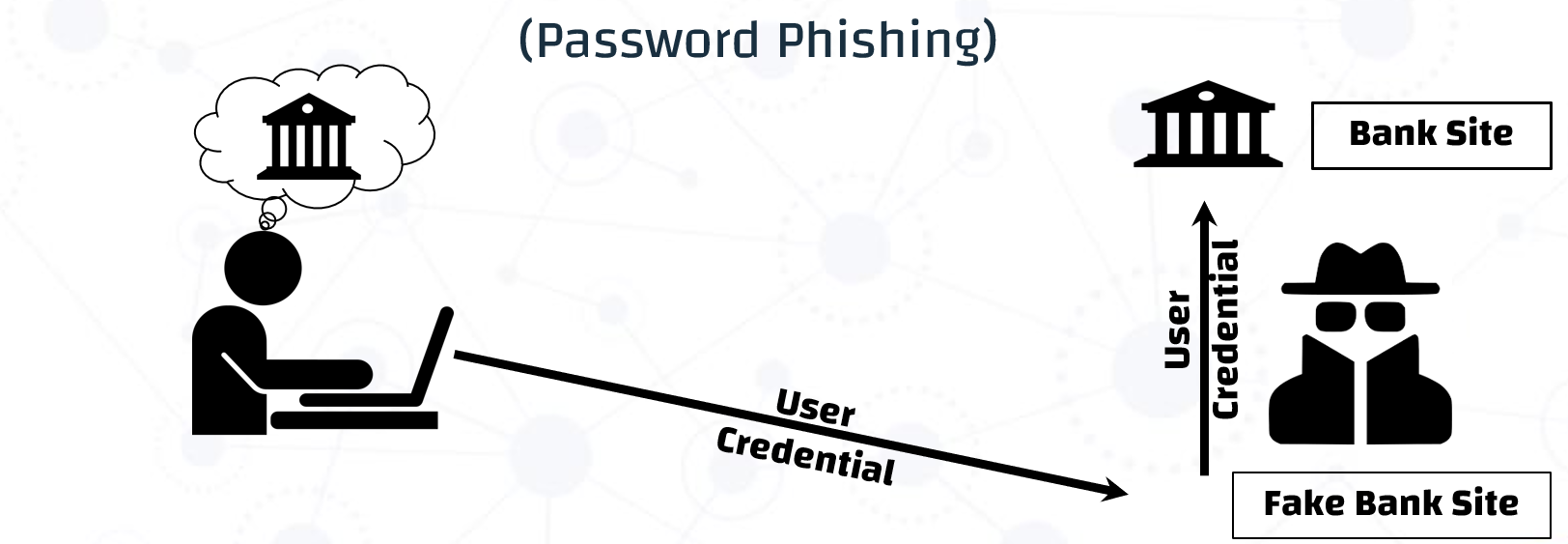
Attackers may also target a fake sign-in page, account recovery, or new-device approval.
What helps?
- A long, unique primary passphrase.
- Phishing-resistant MFA for the manager account when available.
- Review of sign-in alerts and enrolled devices.
- Recovery codes stored outside the same vault.
- Entering through the known application or address instead of message links.
Browser filling risks
A hostile page may include hidden fields, embedded frames, or a look-alike domain. Risk rises when a manager fills credentials automatically without a clear user signal.
A safer manager binds credentials precisely to the origin, requires an explicit action in sensitive contexts, and avoids filling on unencrypted or ambiguous pages.
Deterministic and store-less managers
Removing the vault reduces one central leakage risk but does not remove every threat. A look-alike domain can cause the wrong derivation, rotating one site’s password can become difficult, and sites impose different password policies. If the primary secret and derivation parameters are exposed, an attacker may regenerate many credentials.
A concise protection plan
- Use a long, unique primary secret.
- Protect the manager account with a phishing-resistant factor.
- Secure the endpoint; encryption alone cannot protect an unlocked vault.
- Verify the origin before filling and submitting.
- Minimize extensions and monitor sessions and devices.
- Test backup and recovery before an emergency.
Takeaway
Concentrating credentials does not automatically make a password manager a poor choice. It is the tradeoff that makes unique passwords manageable. Compare that risk with the realistic alternative: weak, reused credentials kept in human memory. When configured well, a trusted manager is usually a major security improvement.