Introduction · 6 minute read
Two-Factor Authentication: An Extra Layer That Is Not Always Equal
An introduction to authentication factors and common 2FA methods, separating added protection from genuine phishing resistance.

If a password can be stolen or reused, why rely on it alone? Two-factor authentication (2FA) asks for evidence from two different categories before granting access.
What is a factor?
Authentication factors are commonly grouped as:
- Something you know: a password or PIN.
- Something you have: a phone, authenticator application, smart card, or security key.
- Something you are: a fingerprint or another biometric characteristic.
Entering two passwords is not 2FA because both belong to the same category. A password plus a security key combines knowledge and possession.
2FA means exactly two factors. MFA may use two or more, although the terms are often used interchangeably for a two-factor deployment.
Common methods
SMS one-time passwords
The service sends a temporary code to the phone number. SMS is accessible and easy to deploy, but it relies on the telecommunications network and remains exposed to SIM swapping, message interception in some threat models, and real-time phishing.
TOTP authenticator applications
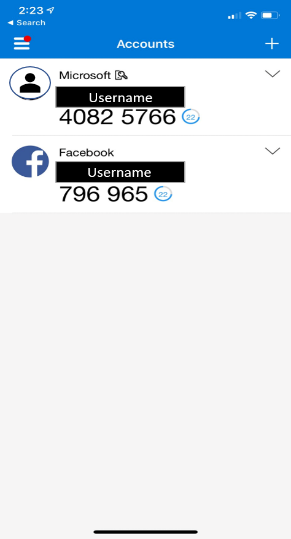
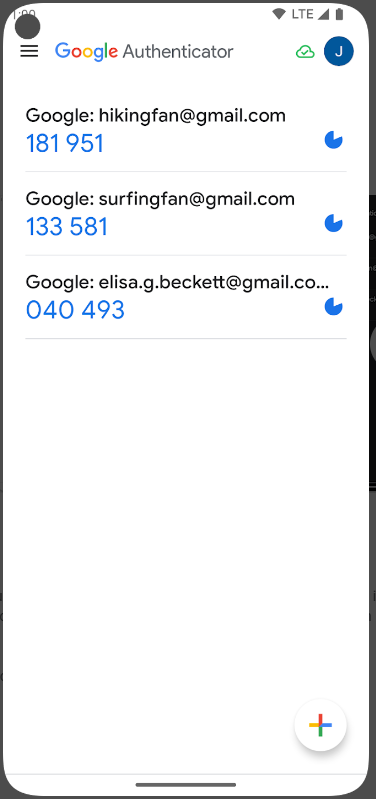
An application generates a short-lived code from a shared secret and the current time. Generation does not require a network connection, but a user can still type the code into a phishing page that relays it immediately.
Push authentication
A request appears on the phone for approval or rejection. The interaction is fast, but a request with little context can become a weakness, particularly when an attacker floods the user with repeated prompts.
Security keys and passkeys
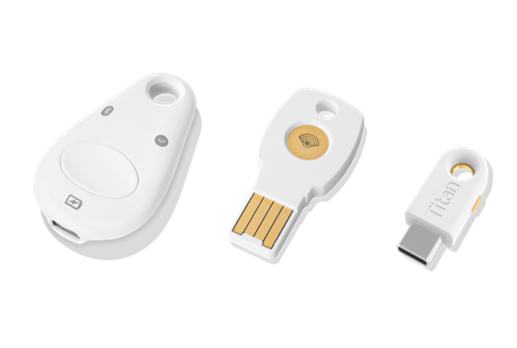
FIDO2/WebAuthn binds authentication to the correct web origin using public-key cryptography. It can therefore provide much stronger phishing resistance than a code that can be copied.
Biometrics
A fingerprint or face is not always sent to the website as a factor. On many devices, the biometric check happens locally and unlocks a cryptographic key. The complete protocol matters more than the label on the interface.
What does 2FA protect?
2FA greatly reduces the value of a stolen password because the password alone is insufficient. But methods are not equal:
- A typed code can be phished.
- A session can be stolen after authentication.
- An inattentive push approval can help the attacker.
- A weak recovery process can bypass the strongest factor.
The statement “2FA protects against phishing” therefore needs precision. Some factors are phishing resistant; others provide valuable additional protection without stopping real-time relay.
Practical recommendation
Enable any available MFA rather than leaving an account password-only, then move to a phishing-resistant factor when the service supports one. Keep recovery codes, register a backup key where possible, and inspect every push request before approving it.
Takeaway
The value of a second factor depends on its type, the information the interface shows, and the recovery process. Good 2FA makes a password theft insufficient. The best designs also make it much harder to deceive the user.